





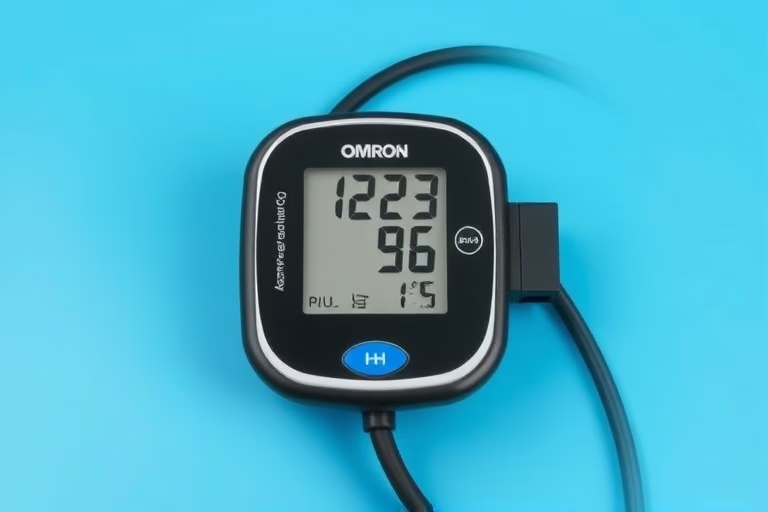
The Omron Blood Pressure Monitor is a reliable device used to measure blood pressure at home. Knowing how to use it properly is essential for accurate readings and monitoring your health. Regular check-ups can help detect hypertension or other health issues early, leading to proactive management. Understanding the proper usage of this device empowers individuals to take control of their cardiovascular health and facilitates sharing valuable data with healthcare professionals.
In this article, we will discuss Omron Blood Pressure Monitor How to Use in detail, covering everything from setup to troubleshooting. Through a deep understanding of the mechanism and technique, you’ll gain the confidence to utilize this device effectively.
What is an Omron Blood Pressure Monitor?
The Omron Blood Pressure Monitor is an electronic device designed to measure the force of blood against the walls of the arteries as the heart pumps it around the body. This measurement gives an indication of cardiovascular health, specifically detecting conditions like hypertension (high blood pressure) or hypotension (low blood pressure). The device typically has a digital display and uses an inflatable cuff that wraps around the arm or wrist. The cuff inflates to constrict the blood flow temporarily, after which it gradually releases pressure, allowing the monitor to measure the systolic (the pressure when the heart beats) and diastolic (the pressure when the heart is at rest) blood pressure levels.
Setting Up the Omron Blood Pressure Monitor
Before using the Omron Blood Pressure Monitor, it’s vital to follow the correct setup procedure. This ensures accurate readings and optimal functionality of the device.
1. Choose a Suitable Location: For accurate results, select a quiet, comfortable area where you can sit and relax. It’s recommended to avoid noisy distractions and find a temperature-controlled environment.
2. Assemble the Device: Ensure that your monitor is fully charged or plugged in. Attach the cuff securely according to the manufacturer’s instructions. The position of the cuff is crucial; it should fit snugly around your upper arm above the elbow. An improperly placed cuff can lead to inaccurate results.
3. Prepare for Measurement: Rest for 5-10 minutes before taking a measurement. Sit comfortably with your back supported, feet flat on the ground, and the arm at heart level.
How to Use the Omron Blood Pressure Monitor
Using the Omron Blood Pressure Monitor is straightforward and convenient.
1. Start the Device: Press the power button to turn on the monitor. If it’s a manual device, hold it steady while the cuff inflates. On digital monitors, follow the prompts on the display.
2. Begin the Measurement: Allow the cuff to inflate completely. You may feel a tight squeezing sensation; this is normal. The device will automatically deflate the cuff and display readings.
3. Read the Results: Note the systolic and diastolic readings, usually presented in millimeters of mercury (mmHg). An optimal reading is typically around 120/80 mmHg, but ideal values can vary based on individual health profiles.
Understanding Blood Pressure Readings
Blood pressure readings consist of two numbers: systolic and diastolic pressure. Understanding what these numbers signify can help you gauge your health status:
1. Systolic Pressure: This number represents the pressure in your arteries when your heart beats. A reading above 130 mmHg may indicate hypertension.
2. Diastolic Pressure: This number indicates the pressure in your arteries when your heart rests between beats. A diastolic reading above 80 mmHg can also highlight potential health risks.
Reading blood pressure involves comparing your results to standardized categories that define optimal, elevated, and high blood pressure levels.
Common Mistakes When Using the Monitor
Many individuals make errors that can affect reading accuracy. Here are some common mistakes to avoid:
1. Improper Cuff Placement: Ensure that the cuff is applied correctly and fits well. Misplacement can lead to inconsistent readings.
2. Talking or Moving: Stay still and avoid talking while the measurement is being taken. Movement can affect the accuracy.
3. Measurement Timing: Avoid measuring blood pressure after exercise, consuming alcohol, or experiencing stress, as these factors may elevate readings temporarily.
Maintaining Your Omron Blood Pressure Monitor
Proper maintenance of the device is vital for reliability and longevity:
1. Keep it Clean: Regularly clean the cuff and the device’s exterior with a soft cloth. Ensure the cuff is dry before storing it.
2. Check Accuracy: Periodically compare your monitor’s readings with those taken at your doctor’s office. If there are discrepancies, recalibrating may be necessary.
3. Battery Maintenance: Check batteries regularly and replace them when they are low to ensure optimal performance.
Sharing Your Readings with Healthcare Providers
Documenting and sharing your blood pressure readings with your healthcare provider is essential for managing health effectively. Keeping a log can help detect patterns over time, assisting your provider in adjusting treatment plans or prescribing medications.
Bring your monitor or notes to your appointments to provide accurate historical data. This open line of communication allows for better personalized care.
When to Consult a Doctor
It’s important to know when to consult a healthcare professional regarding your blood pressure readings. If results consistently show high readings, typically categorized as hypertension (130/80 mmHg or higher), it is crucial to seek medical advice. Other symptoms to pay attention to include headaches, dizziness, or shortness of breath. Early intervention can prevent complications associated with high blood pressure.
Understanding Omron Blood Pressure Monitor Features
Different models of the Omron Blood Pressure Monitor come with various features designed to enhance user experience:
1. Memory Storage: Many devices store previous readings, allowing users to track blood pressure changes over time.
2. **Irregular Heartbeat Detection**: Some models include features that detect irregular heartbeats during measurement, helping to assess overall heart health.
3. Bluetooth Connectivity: Advanced models can connect to mobile apps, enabling easy tracking and sharing of blood pressure data with health providers.
Final Thoughts on Using Your Omron Blood Pressure Monitor
Using an Omron Blood Pressure Monitor is a decisive step towards understanding and managing your cardiovascular health. Regular monitoring provides empirical data that can guide lifestyle changes, medication adjustments, and overall wellbeing. Emphasizing accuracy in setup, measurement, and maintenance ensures optimal performance.
By educating yourself on blood pressure management and recognizing signs of hypertension, you invest in a healthier future. Sharing your data with your healthcare provider helps forge a proactive partnership in pursuit of better health outcomes.
Frequently Asked Questions
- What should I do if my readings seem inconsistent? – If you notice fluctuating readings, check the cuff placement and your measurement technique. It may be helpful to consult a doctor if discrepancies persist.
- Can I use the monitor over clothing? – It is best to measure blood pressure against bare skin, as clothing can interfere with readings.
- How often should I measure my blood pressure? – For those with hypertension, measure daily, while others may benefit from weekly checks. Always follow medical advice.
- Can I use the Omron Monitor on different arms? – Yes, but to ensure accuracy, stick with one arm for consistency and recordkeeping.
- What do I do if I find an unusually high reading? – Remain calm and take another reading after several minutes. If readings remain high, seek medical advice promptly.
Further Reading
What Type of Psychotherapy Is Best for Anxiety?